
Set up once
Your essentials at a glance.
Put your heart rate, today's numbers, daily care, breathing and your latest stand test on your Home Screen, and POTS on your Apple Watch face.

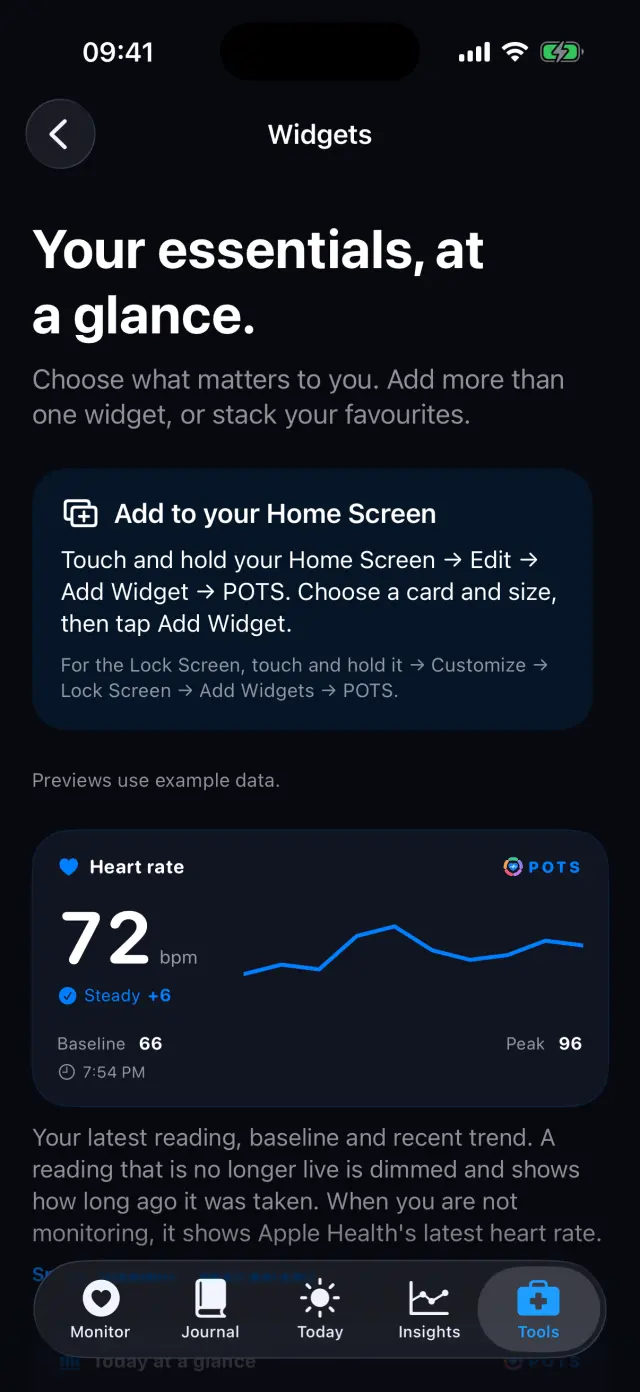
How it works, step by step
Real screens from the POTS iPhone app, with fictional example data.
-
Browse the widgets
Tools, Widgets shows every widget with example data and how to add it.
-
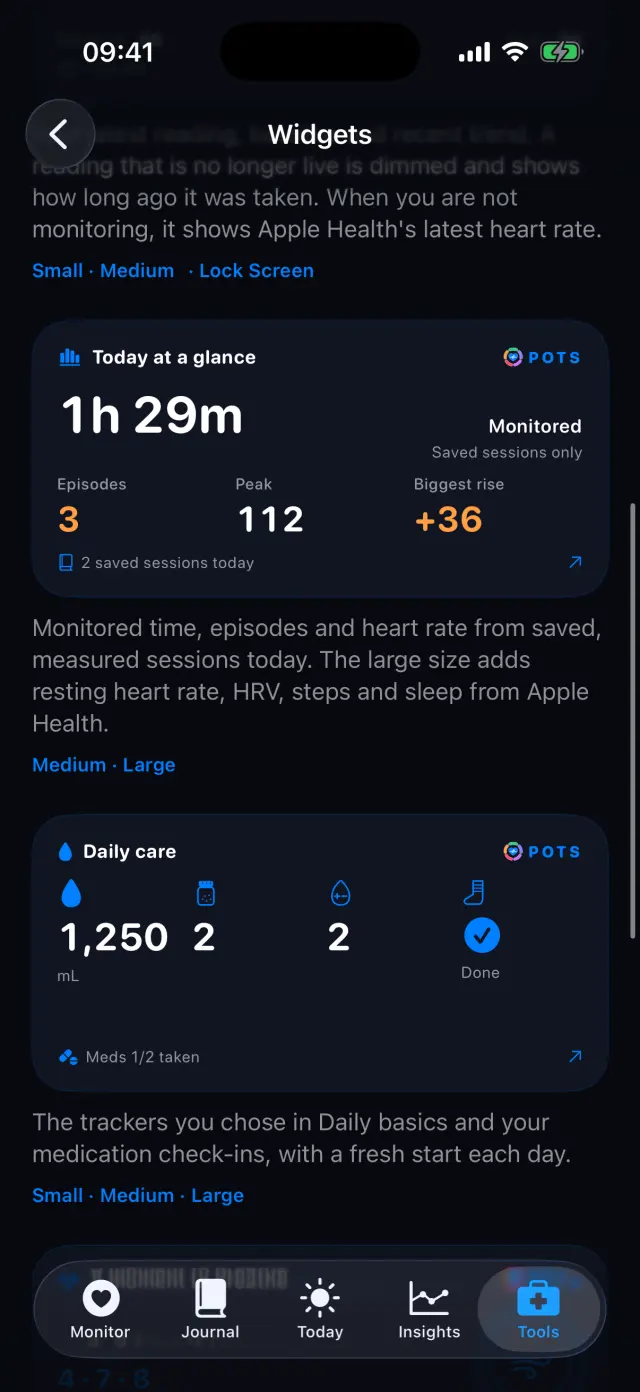
Today and daily care
Monitored time, episodes and biggest rise, plus your fluids, salt and medication check-ins.
-
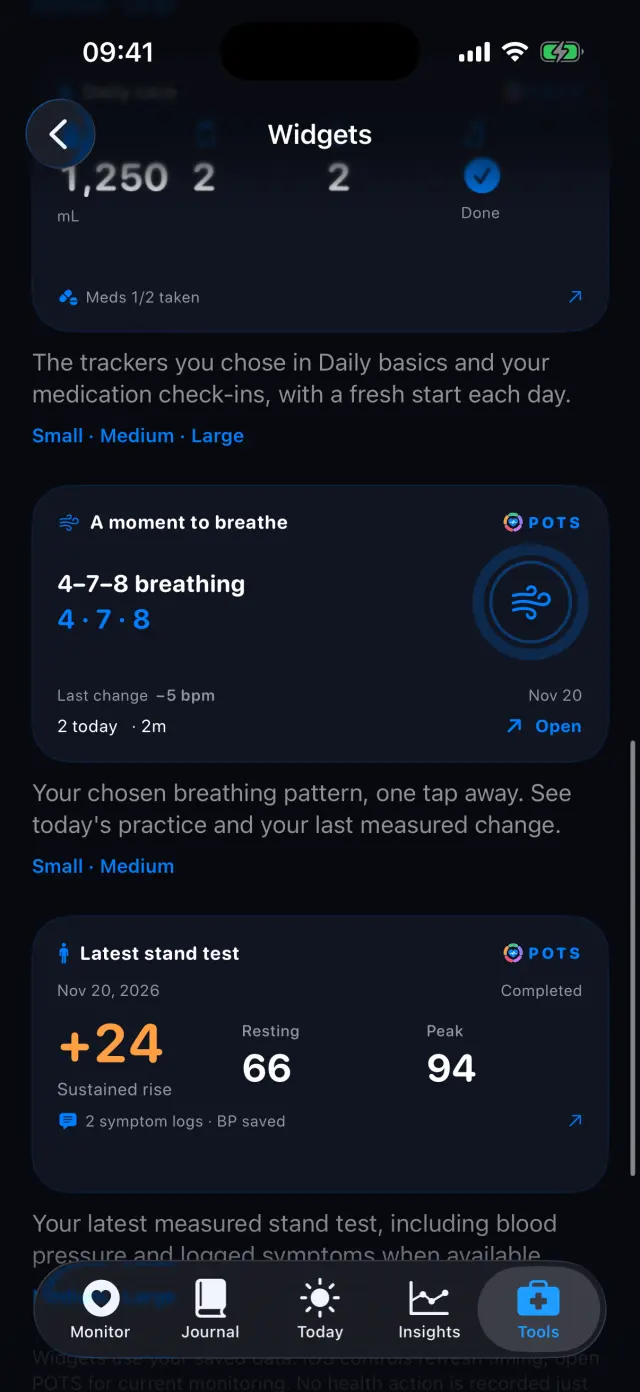
Breathing and stand test
Your chosen breathing pattern one tap away, and your latest stand test with blood pressure and symptoms.
-
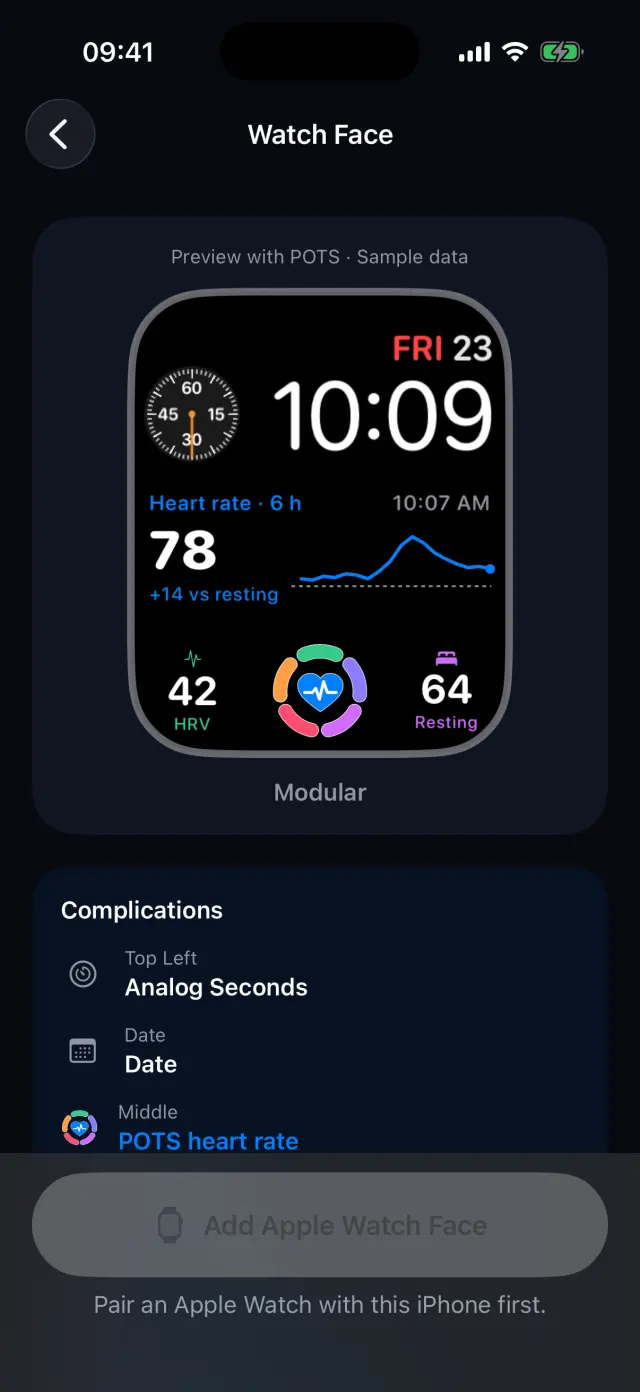
Add a watch face
Tools, Watch Face previews ready-made faces with POTS complications, then adds them to your Apple Watch.
Swipe to see every step
Everything it can do
- Heart rate widget in small and medium sizes, and on the Lock Screen.
- Today at a glance, Daily care, A moment to breathe and Latest stand test.
- Add more than one widget, or stack your favourites.
- Ready-made Apple Watch faces with the POTS heart-rate complication.
- A Live Activity on the Lock Screen while you monitor.
Goes well with
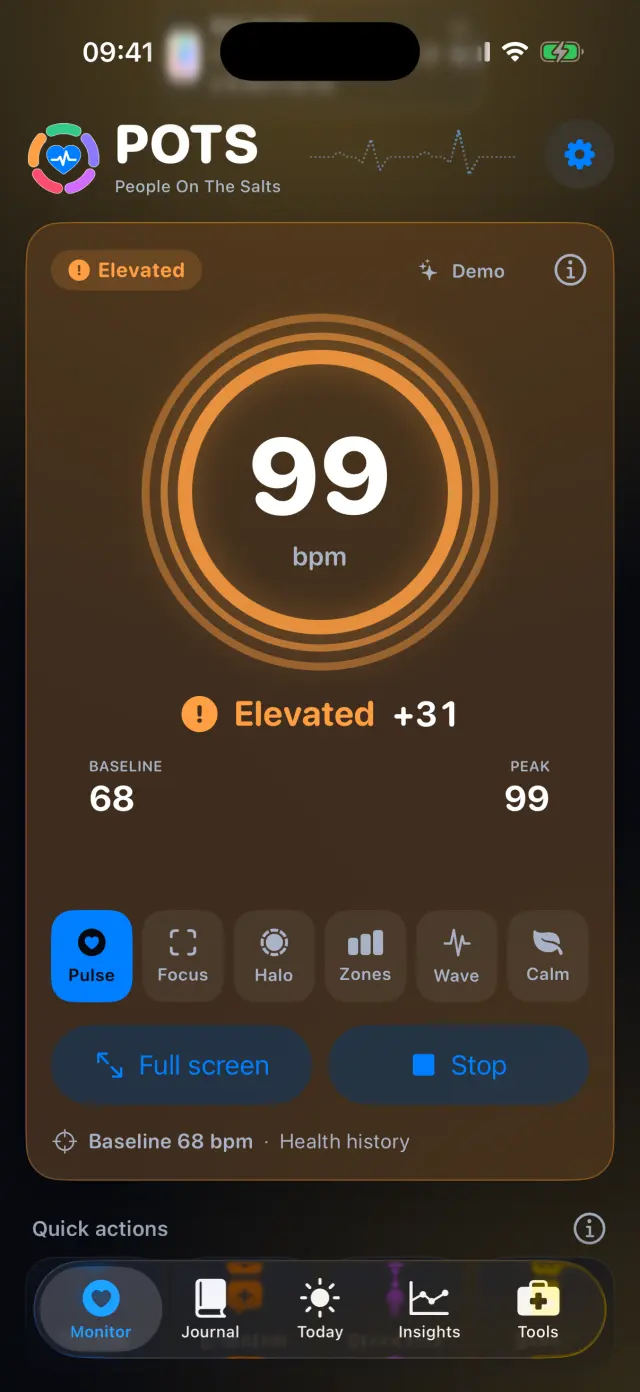 Live heart rateYour heart rate against your own baseline, in six display styles.See how it works
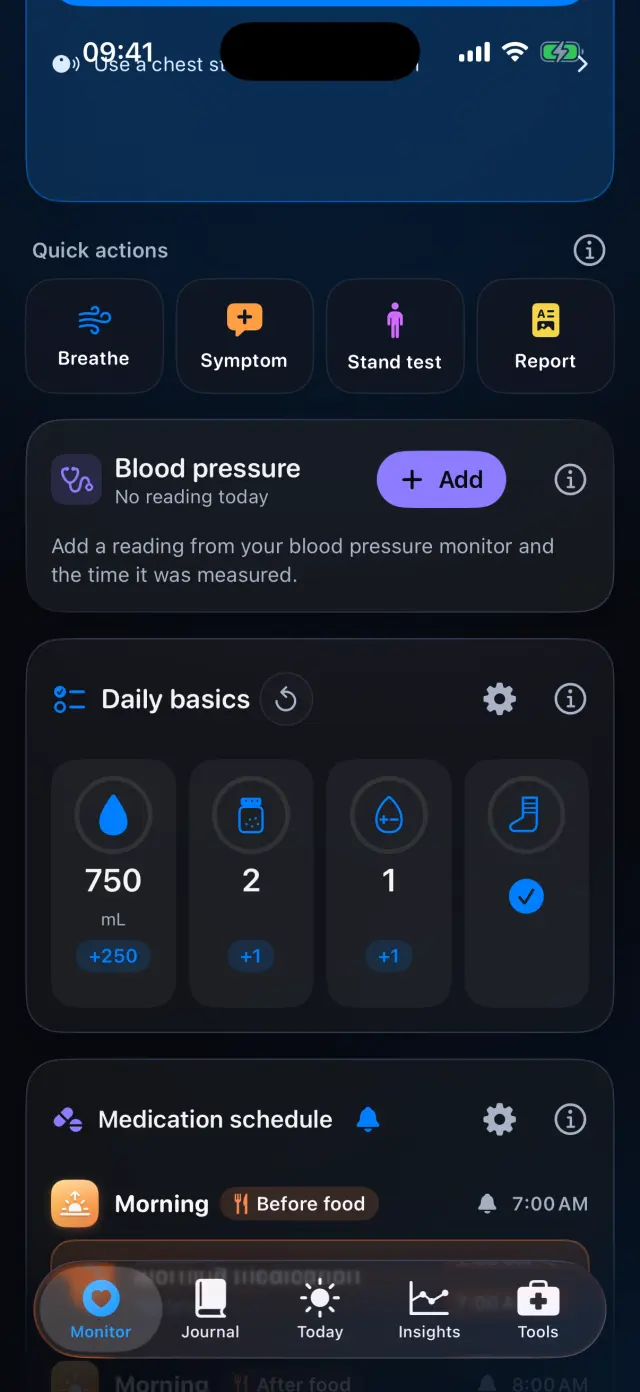 Daily basicsFluids, salt, compression and your own trackers, plus what was different today.See how it works
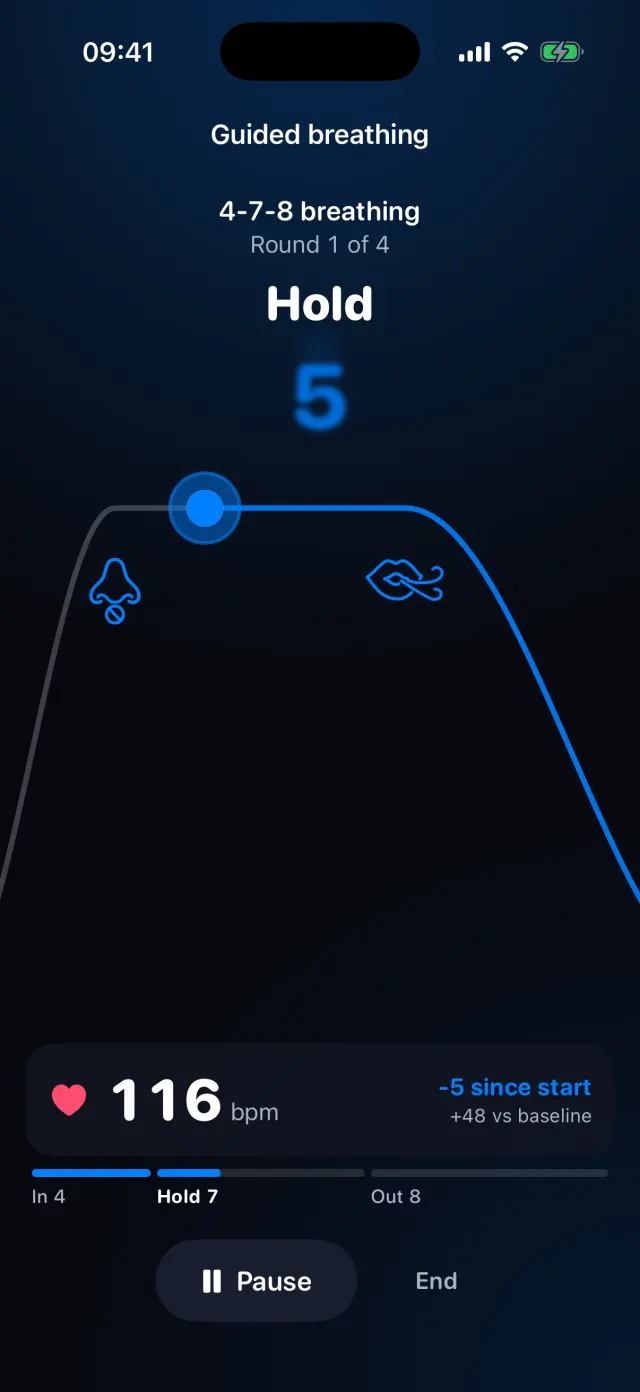 Guided breathing4-7-8, box or gentle breathing, with your heart rate alongside.See how it works

Try it on your iPhone.
POTS - People On The Salts for iPhone and Apple Watch. Free to download, with Premium when you want the full record.
Screens show fictional data. POTS shows measurements to discuss with your clinician. It does not diagnose or treat any condition.