
Share with the people who matter
Bring a clear report to your next visit.
POTS turns your sessions, symptoms, sleep, stand tests and treatment changes into a clear PDF your clinician can read in minutes.

How it works, step by step
Real screens from the POTS iPhone app, with fictional example data.
-
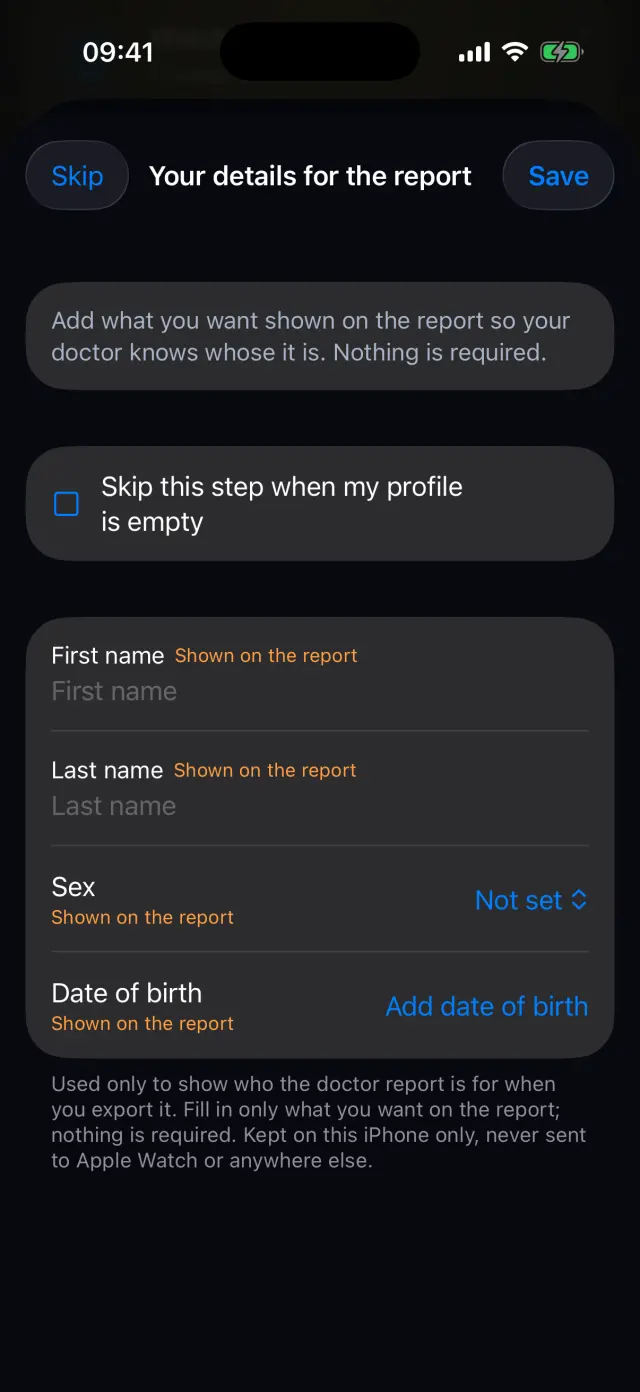
Add your details (optional)
Choose what to show on the report: name, sex and date of birth. Nothing is required, and it stays on your iPhone.
-
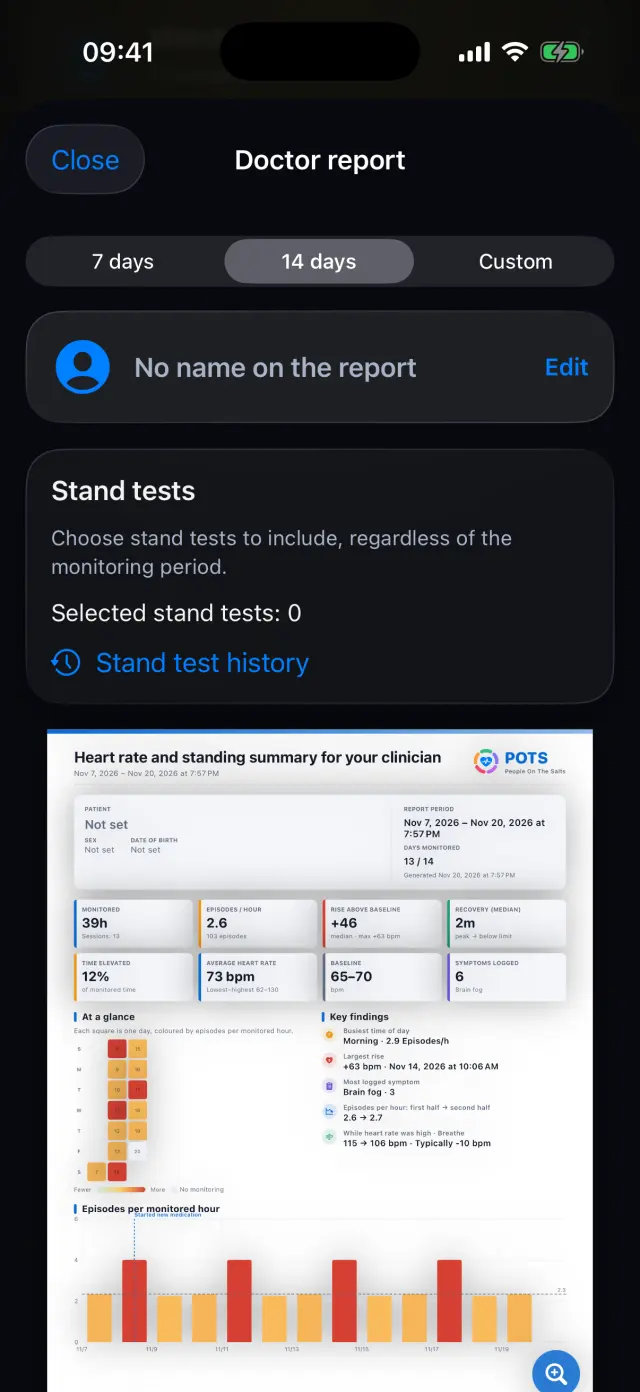
Choose the period
7 days, 14 days or custom dates, plus any stand tests you want to include, whatever the period.
-
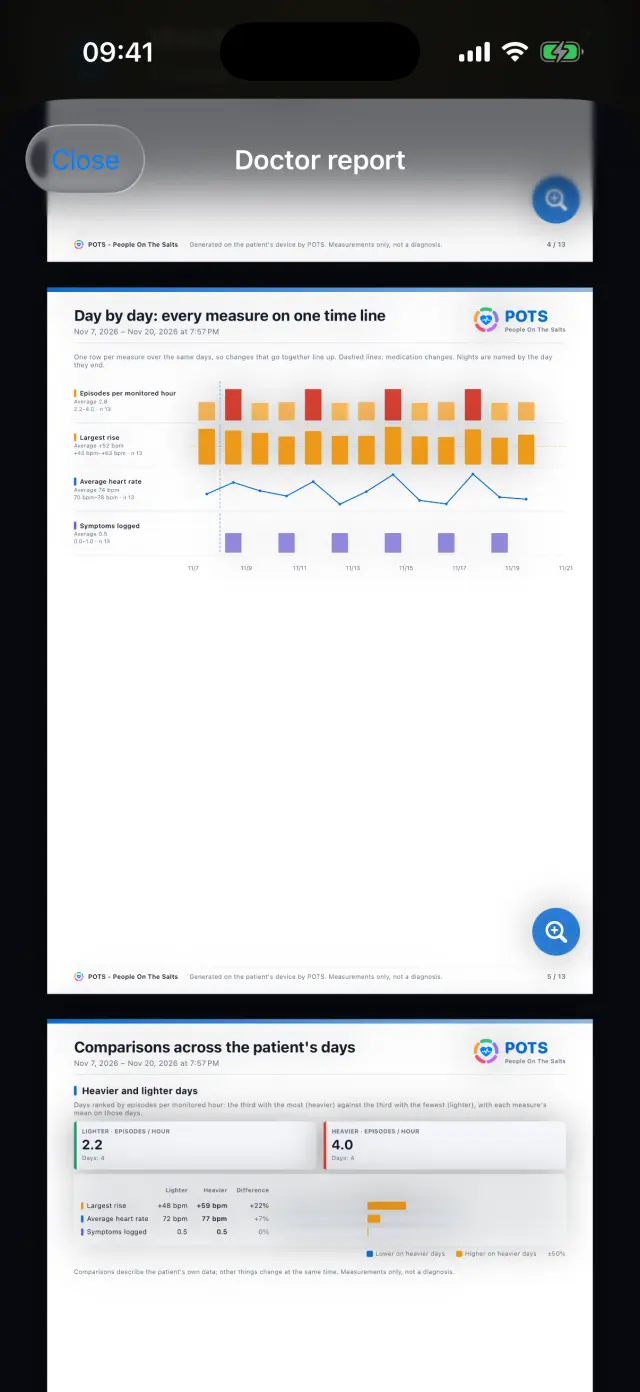
Preview every page
Scroll through the report and zoom in before you share it.
-
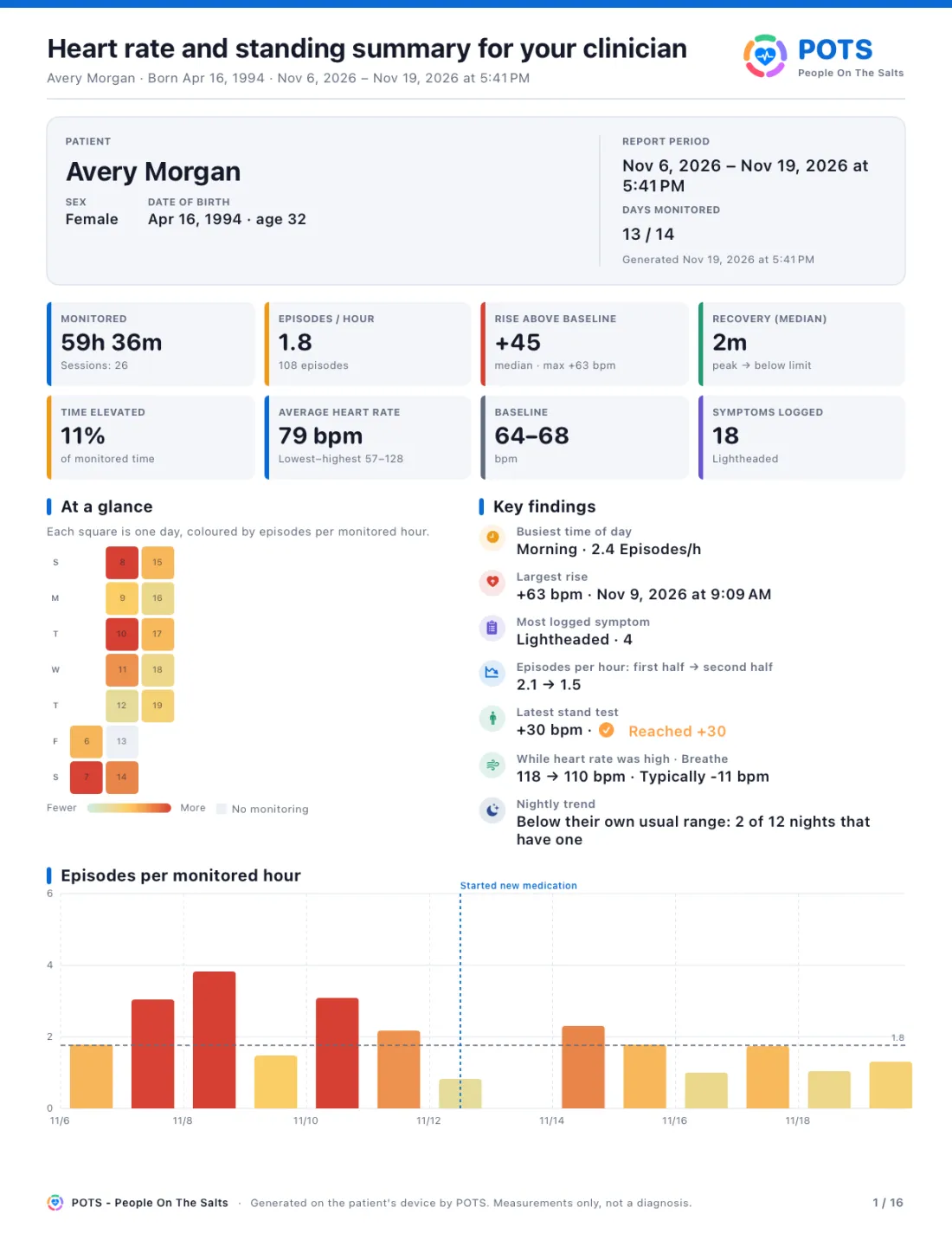
Share or export the PDF
Send it by email or Messages, save it to Files, or print it. The first page sums up everything.
-
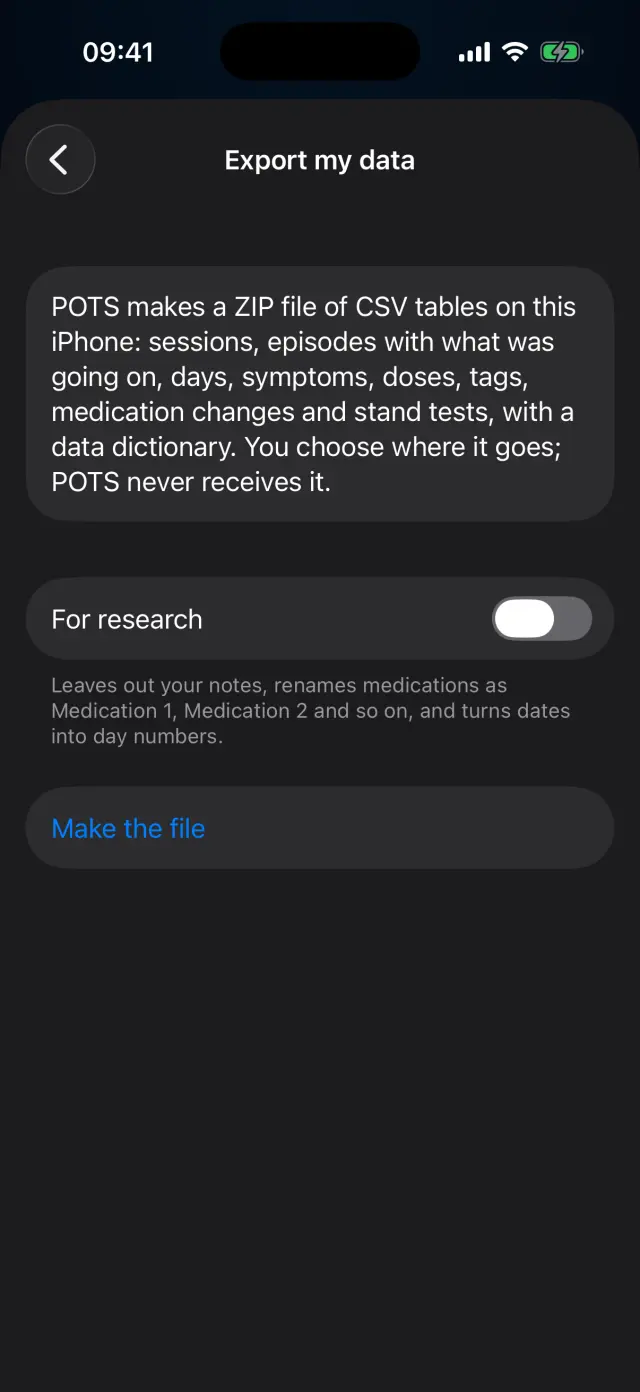
Export your data
Make a ZIP of CSV tables with a data dictionary. For research leaves out notes, renames medications and turns dates into day numbers.
Swipe to see every step
Everything it can do
- A first page with the key numbers and findings.
- Heart rate, episodes, beat-to-beat, day by day and comparisons across days.
- Daily log, nights, Apple Health context, symptoms, treatment and breathing.
- Stand test results you choose, and a methods page.
- Share as PDF from your iPhone. POTS never receives it.
- Export your data as CSV tables, with a research option.
Goes well with
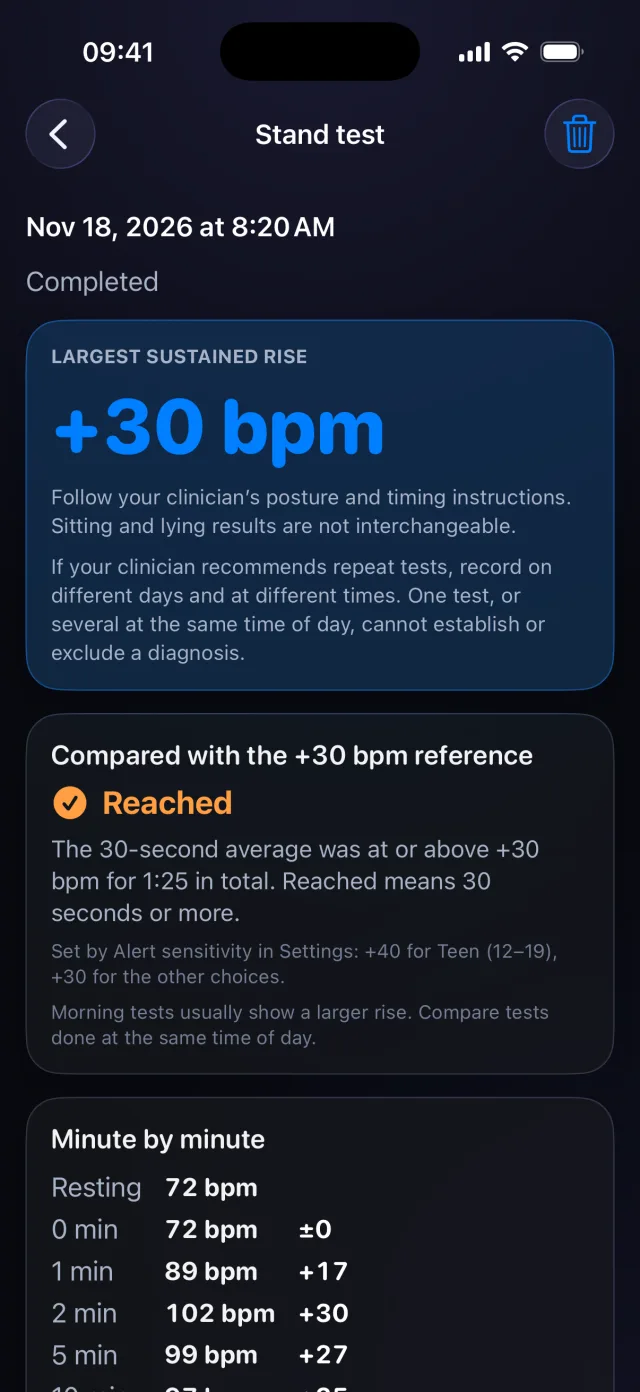 Stand testA guided test at home, minute by minute, with history and trend.See how it works
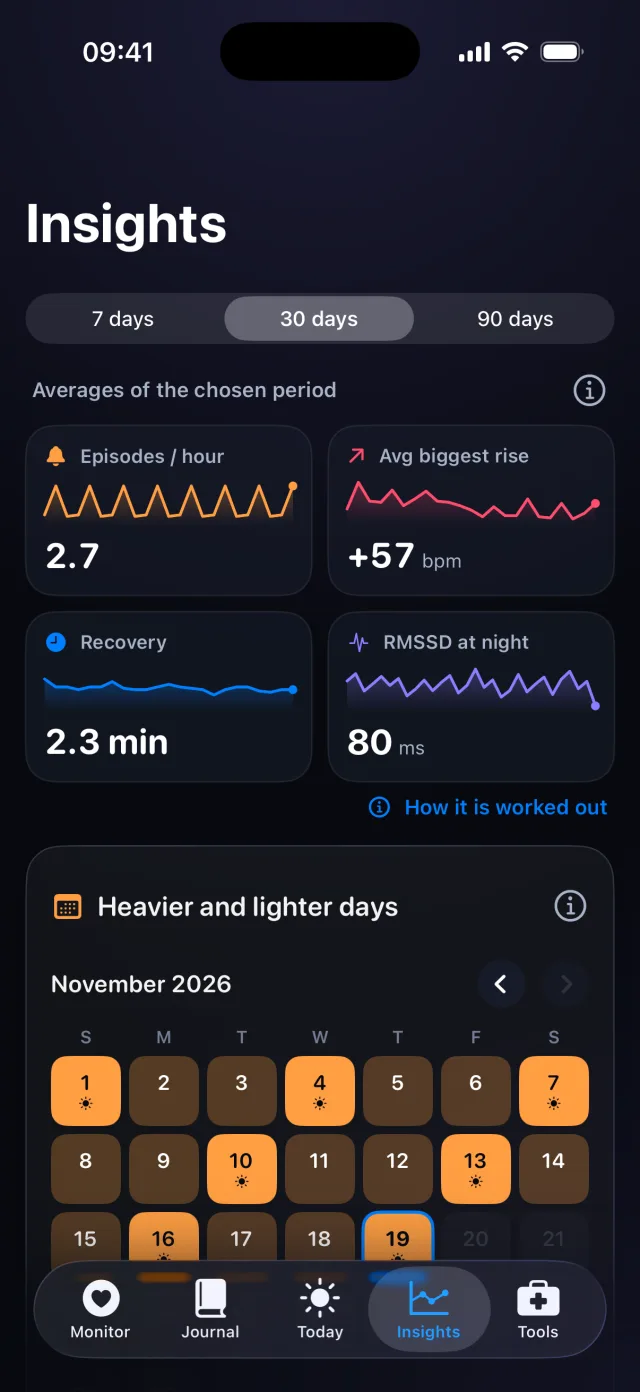 Insights and trendsPatterns across 7, 30 or 90 days, before-and-after and trends up to a year.See how it works
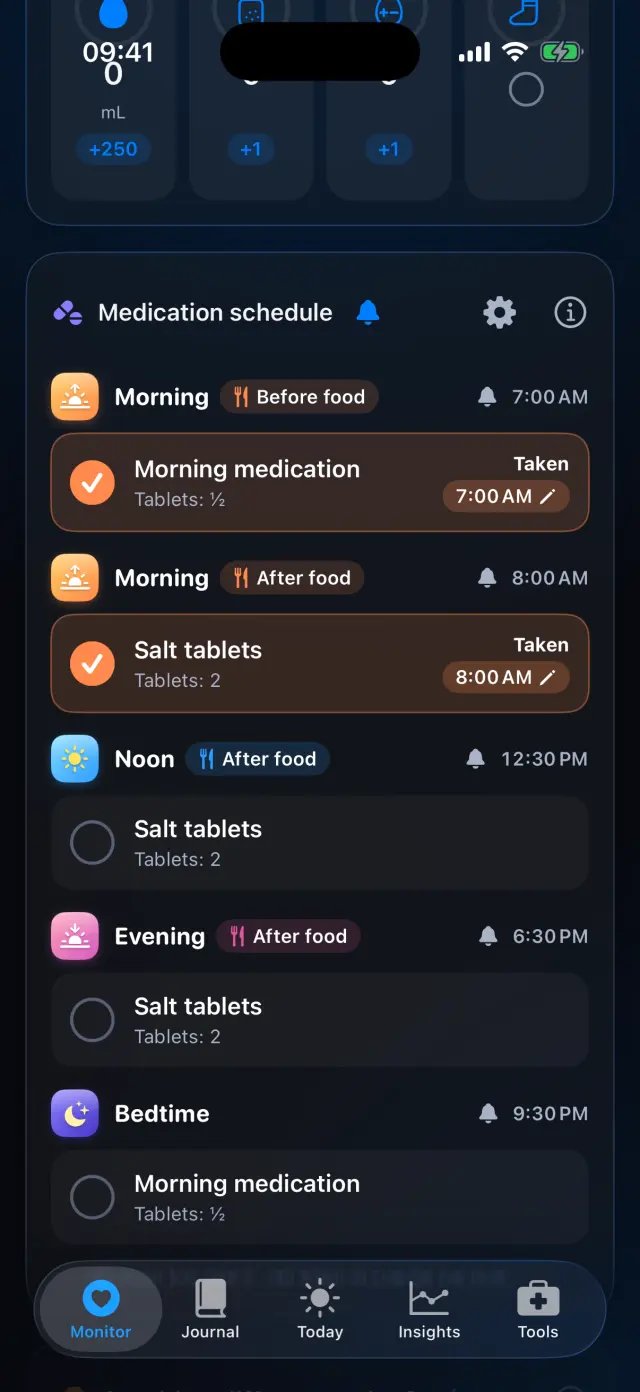 Medications and remindersBuild a schedule, get reminders, tick off each dose and see what changed.See how it works

Try it on your iPhone.
POTS - People On The Salts for iPhone and Apple Watch. Free to download, with Premium when you want the full record.
Screens show fictional data. POTS shows measurements to discuss with your clinician. It does not diagnose or treat any condition.