
Log your daily life
Every dose, on time and on the record.
Build your medication schedule once. POTS reminds you at the right time, lets you tick off each dose in one tap, and later shows whether a change made a difference.

How it works, step by step
Real screens from the POTS iPhone app, with fictional example data.
-
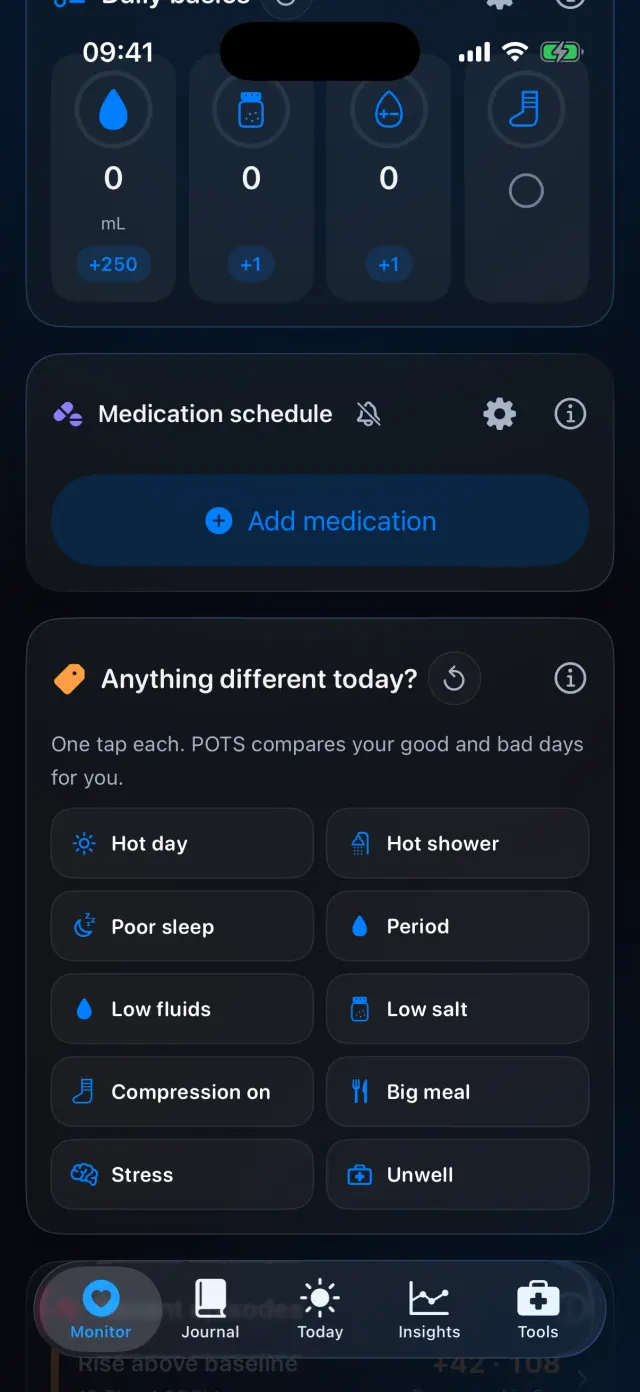
Open your medication schedule
On the Monitor tab, scroll to Medication schedule and tap Add medication.
-
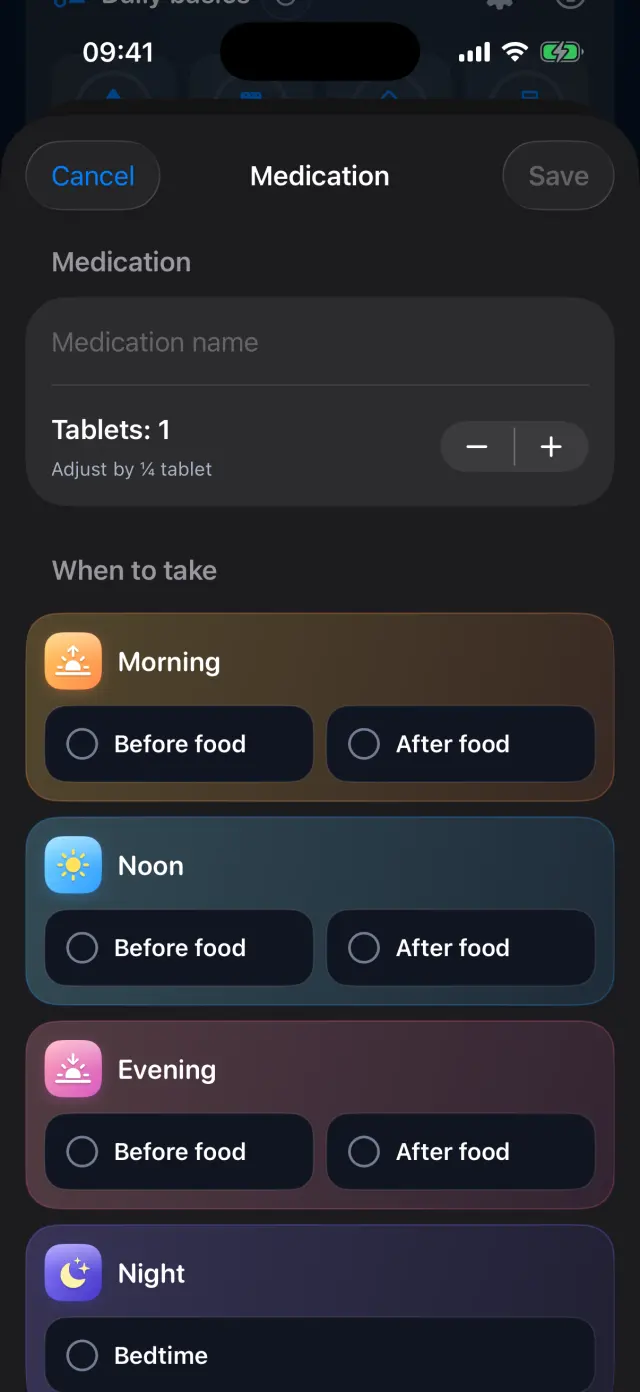
Add a medication
Type the name and the number of tablets. You can adjust by ¼ tablet.
-
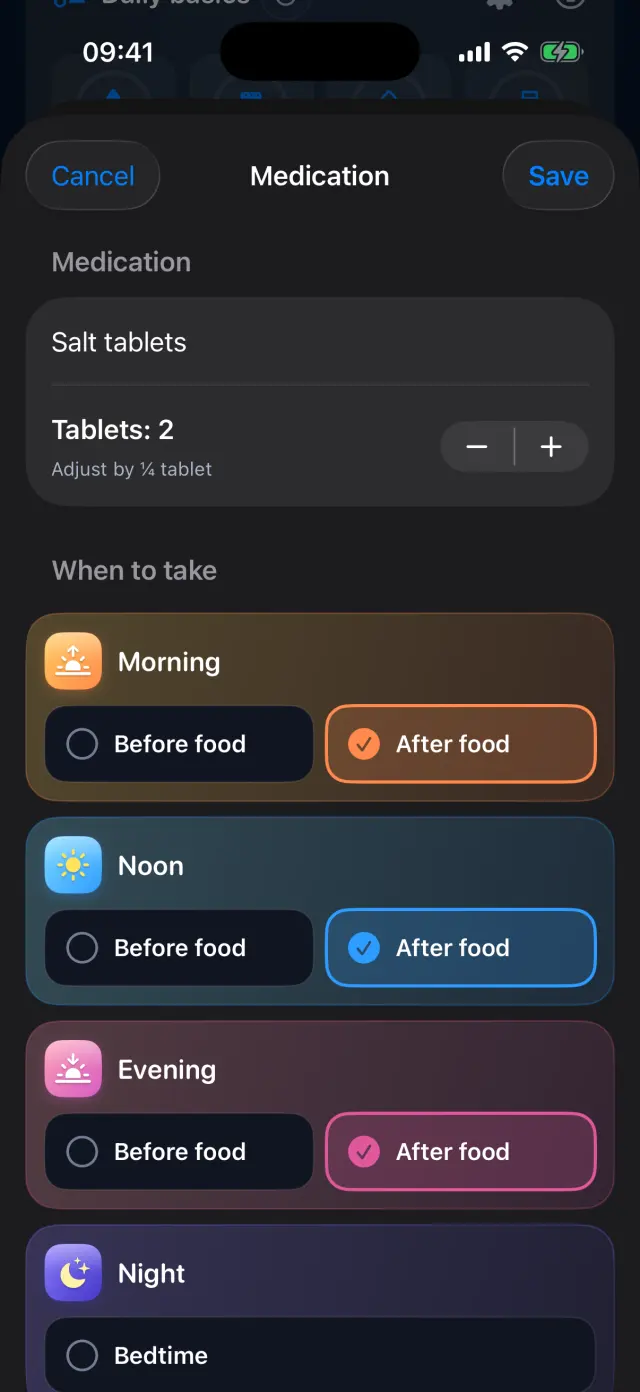
Choose when to take it
Pick morning, noon, evening, night or bedtime, and before or after food. Here: Salt tablets, 2 tablets after food, three times a day.
-
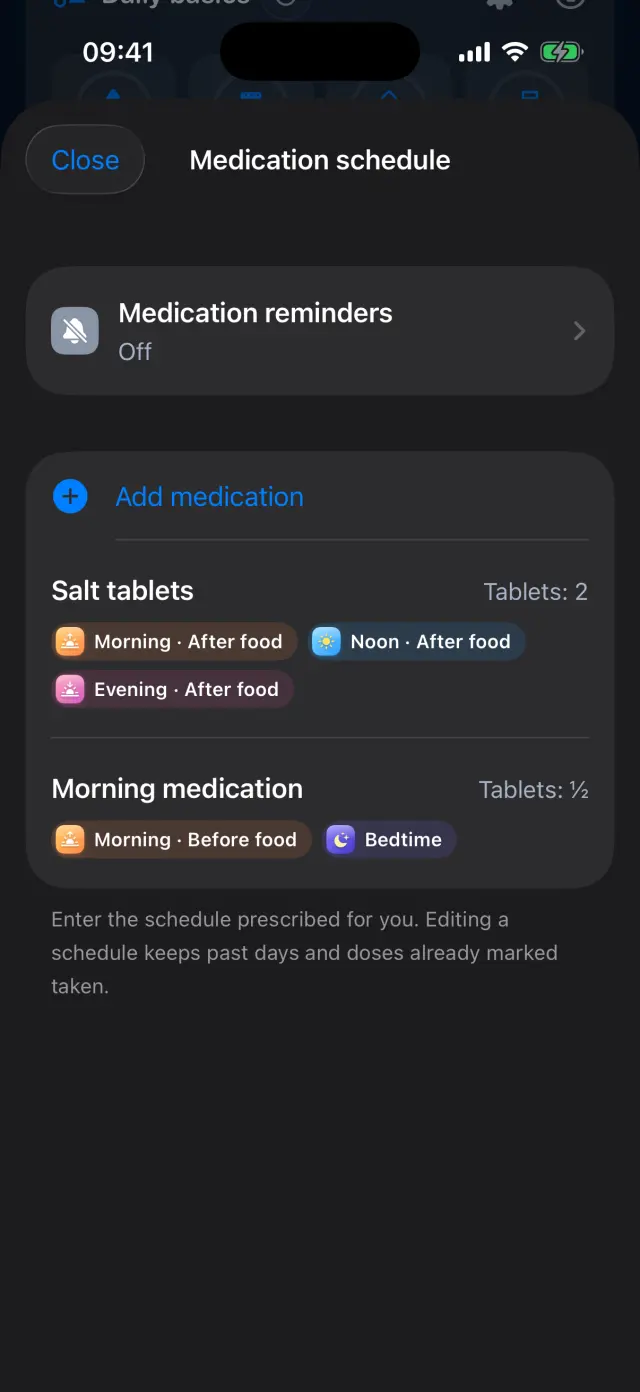
Build your list
Add as many medications as you need. Each one shows its times at a glance.
-
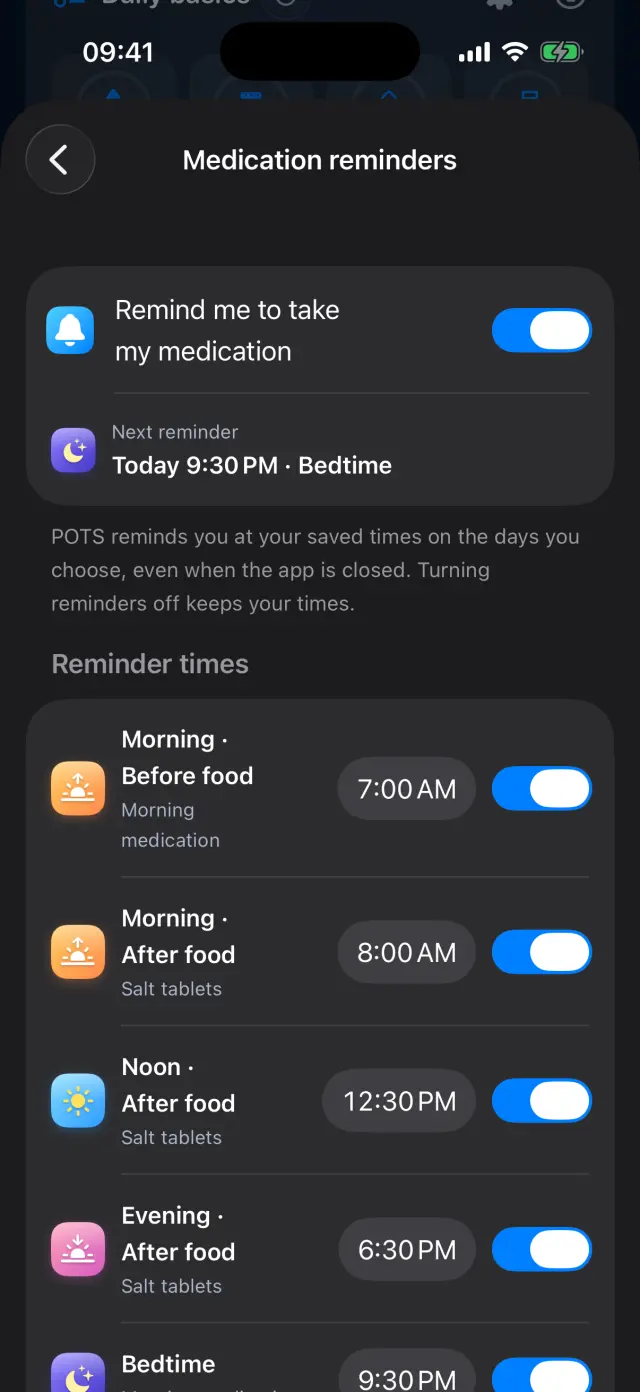
Turn on reminders
Switch on Remind me to take my medication. Reminder times come from your schedule, and you can turn each one on or off.
-
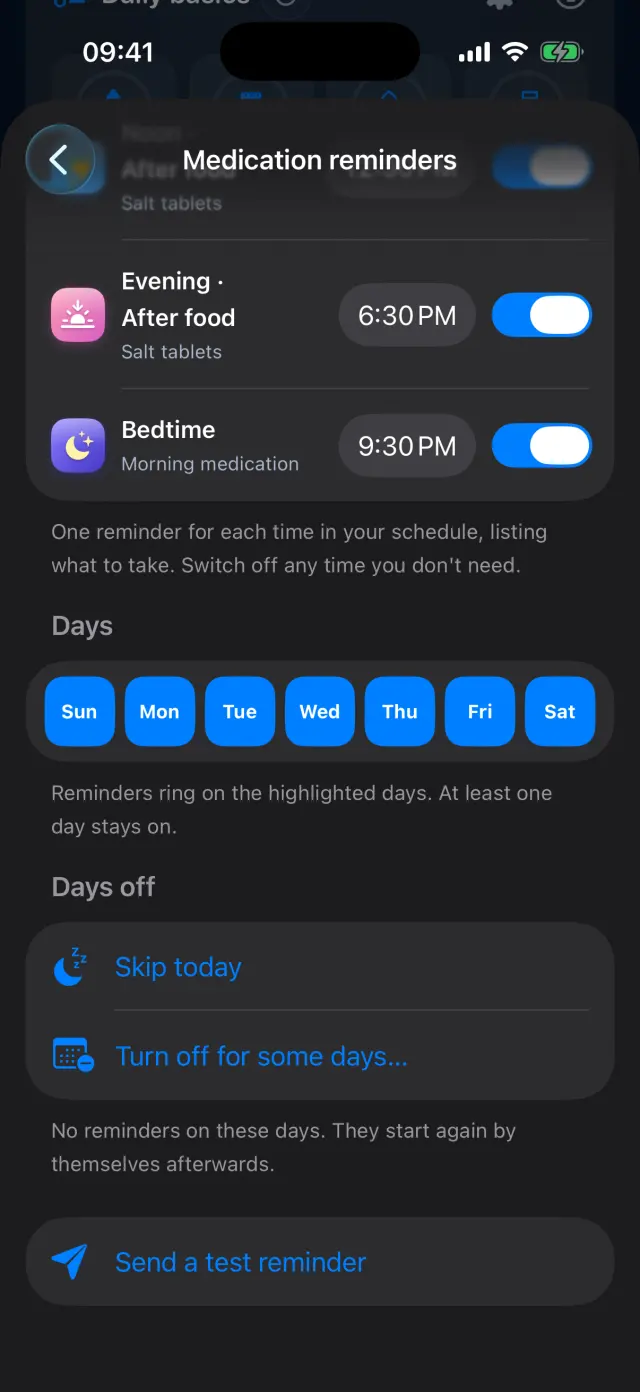
Choose the days
Pick the days reminders ring. Use Skip today or Turn off for some days when your routine changes.
-
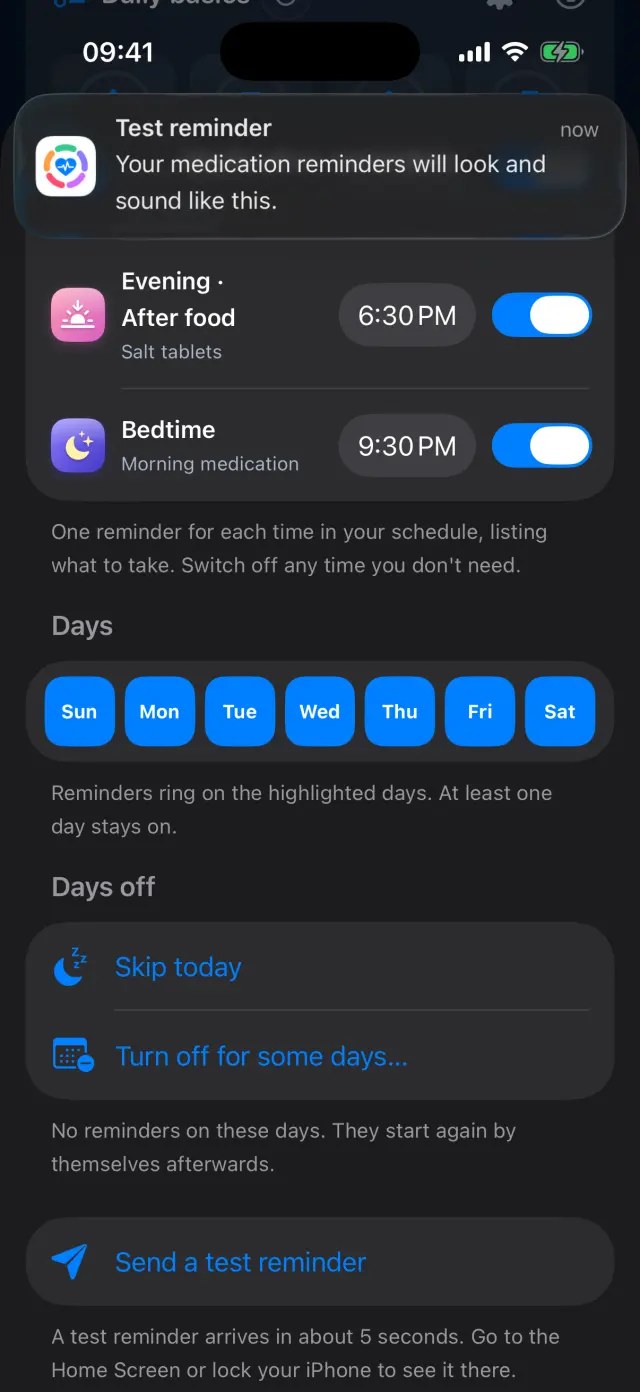
Send a test reminder
Check how a reminder looks and sounds. It arrives in a few seconds.
-
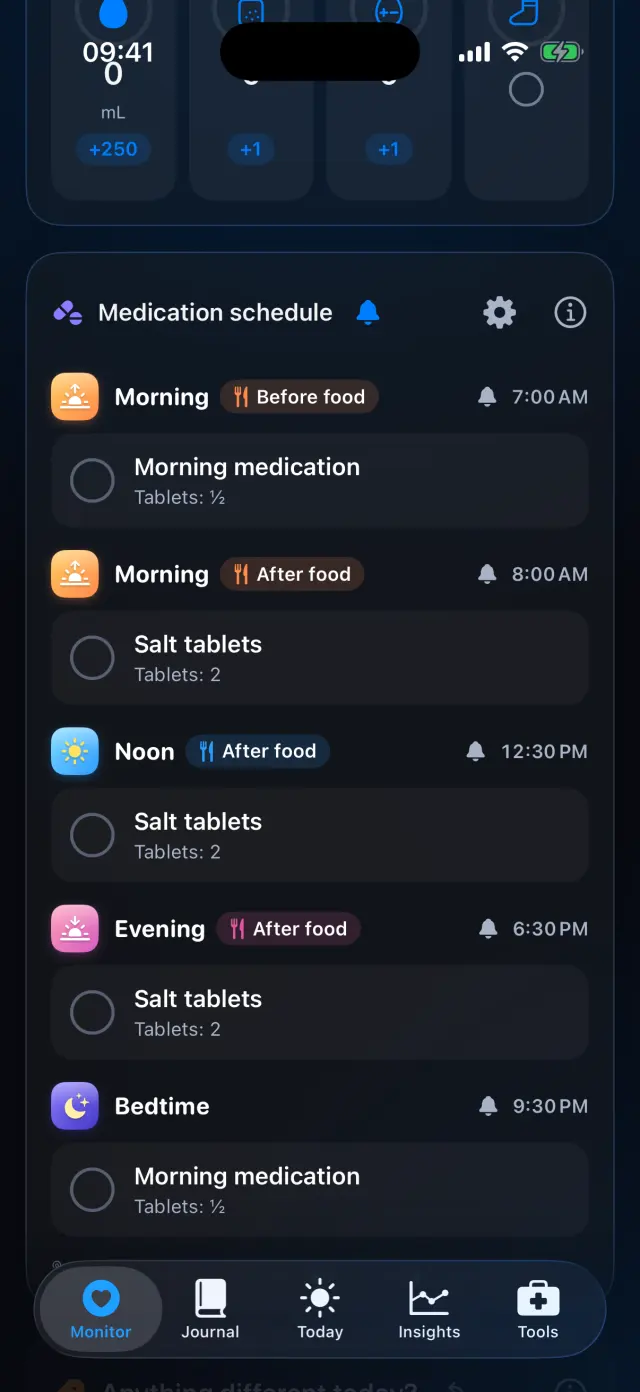
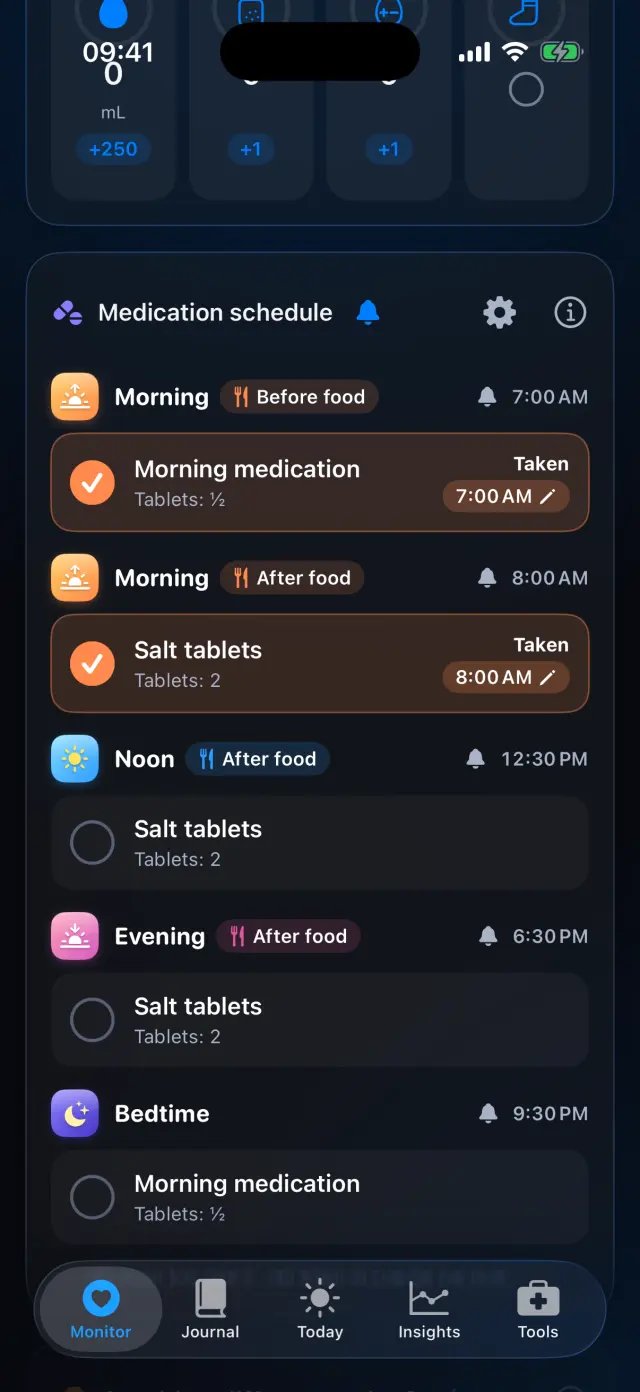
Today's checklist
Every dose for today, grouped by time of day, with its reminder time.
-
Tap when you take it
One tap marks a dose taken and records the time.
-
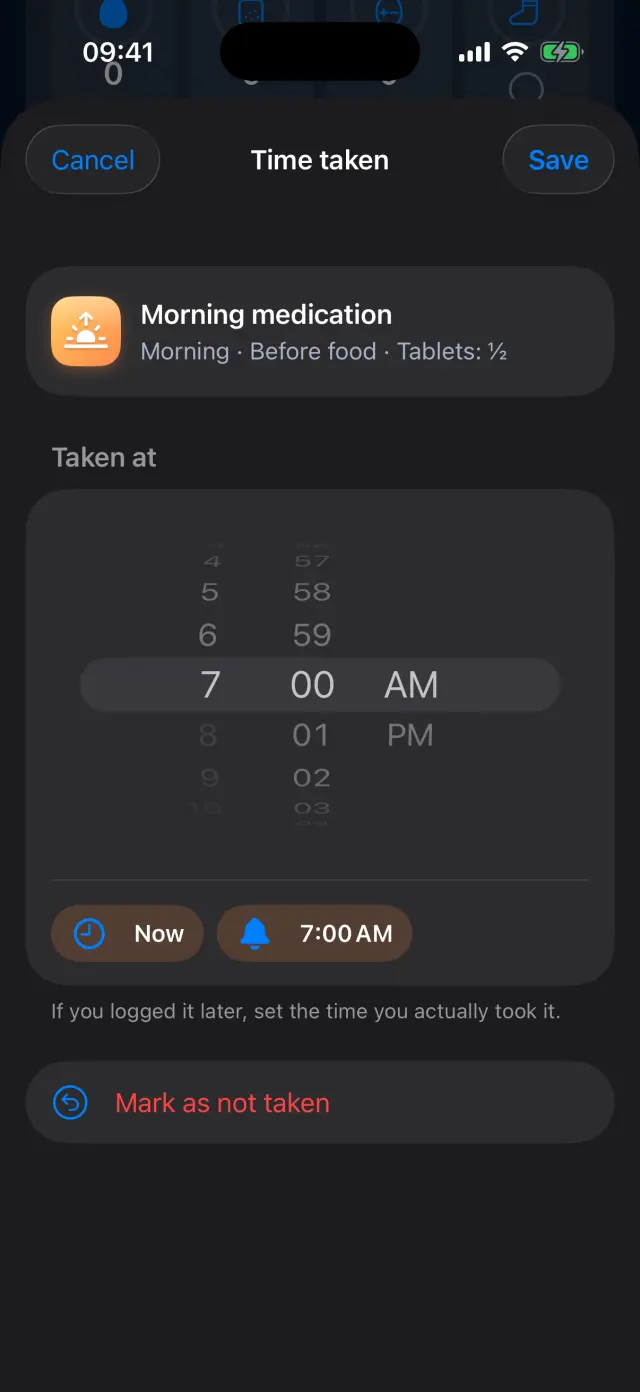
Correct the time
Took it earlier? Tap the time and set when you actually took it, or choose Mark as not taken.
-
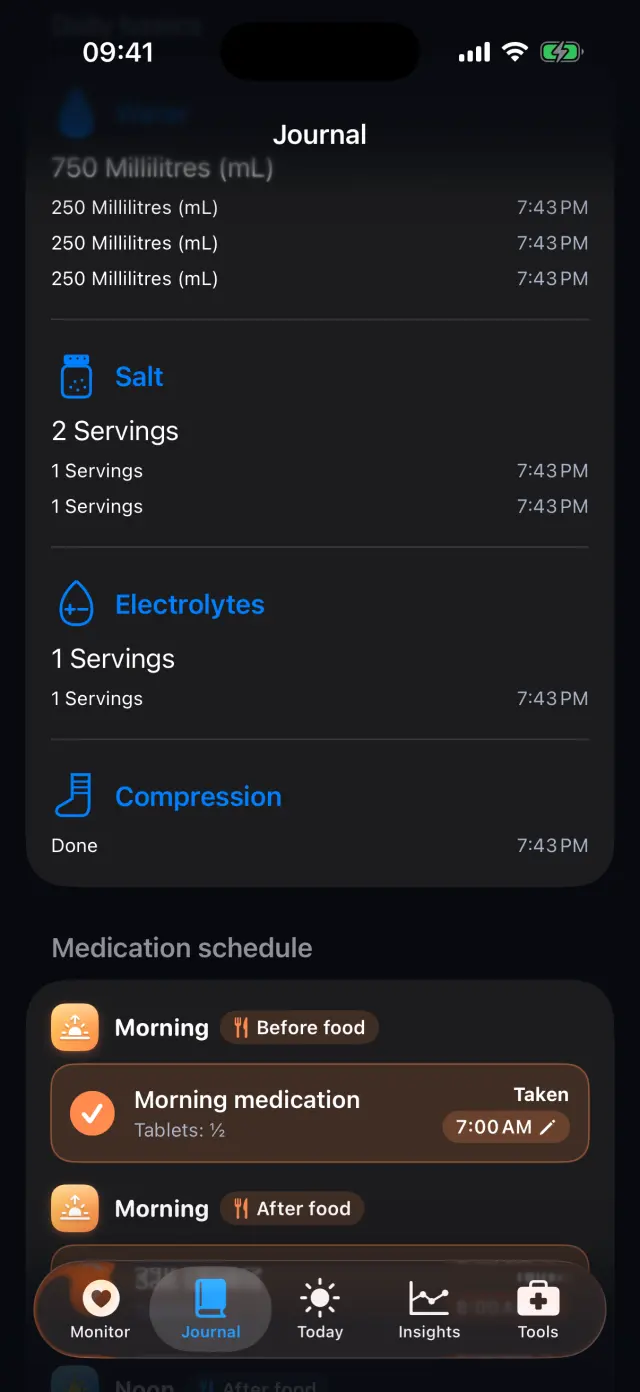
Look back on any day
The Journal's daily log keeps every dose with the time it was taken, next to your fluids, salt and other basics.
-
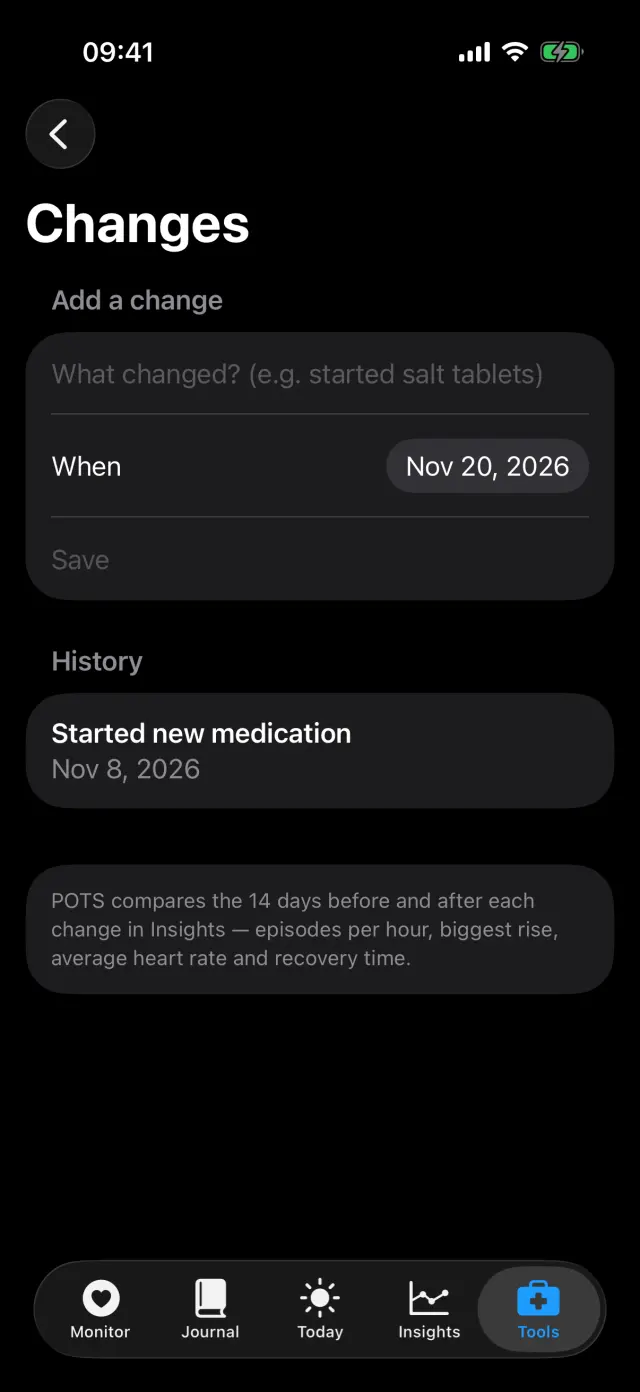
Mark a change in treatment
In Tools, Medication & treatment changes, add the day you start or change something.
-
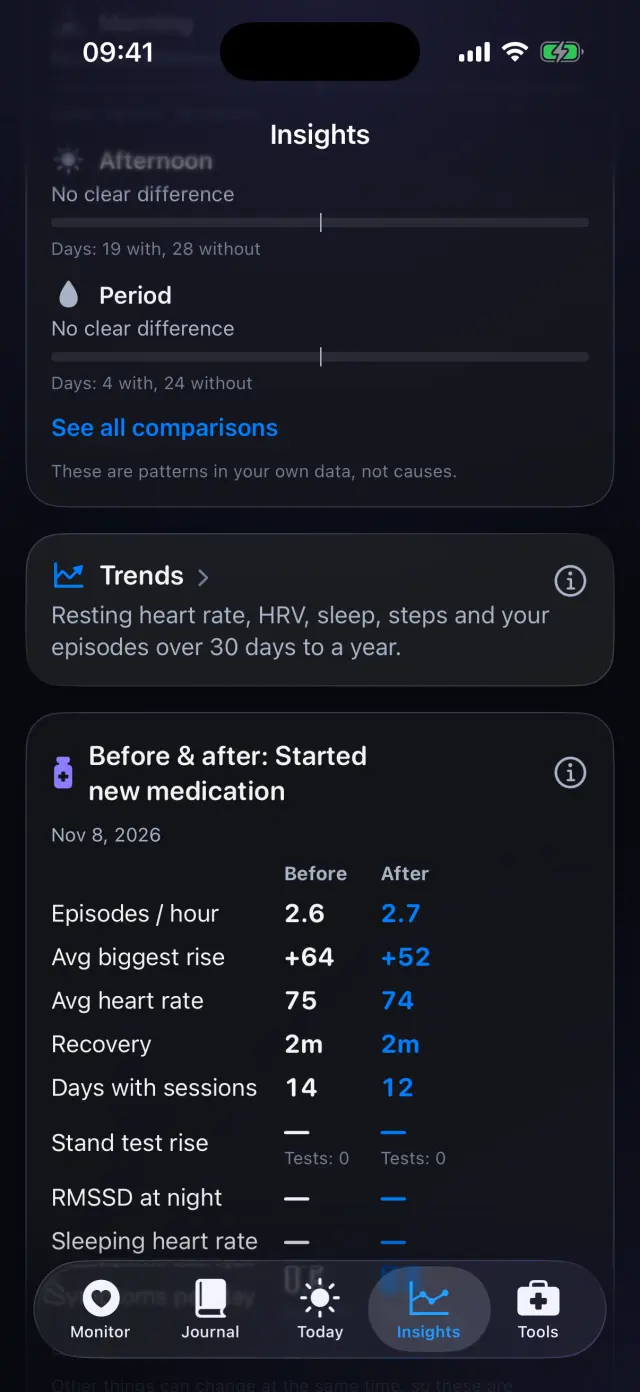
See before and after
Insights compares the 14 days before and after each change: episodes per hour, biggest rise, average heart rate and recovery.
Swipe to see every step
Everything it can do
- Doses in ¼-tablet steps, with a separate entry when the amount differs by time.
- Morning, noon, evening, night and bedtime, before or after food.
- Reminders with chosen days, Skip today, days off and a test reminder.
- Mark a dose taken in one tap and fix the time later.
- Your medication check-ins in the Daily care widget.
- Missed doses and treatment changes in Insights, Trends and the doctor report.
Goes well with
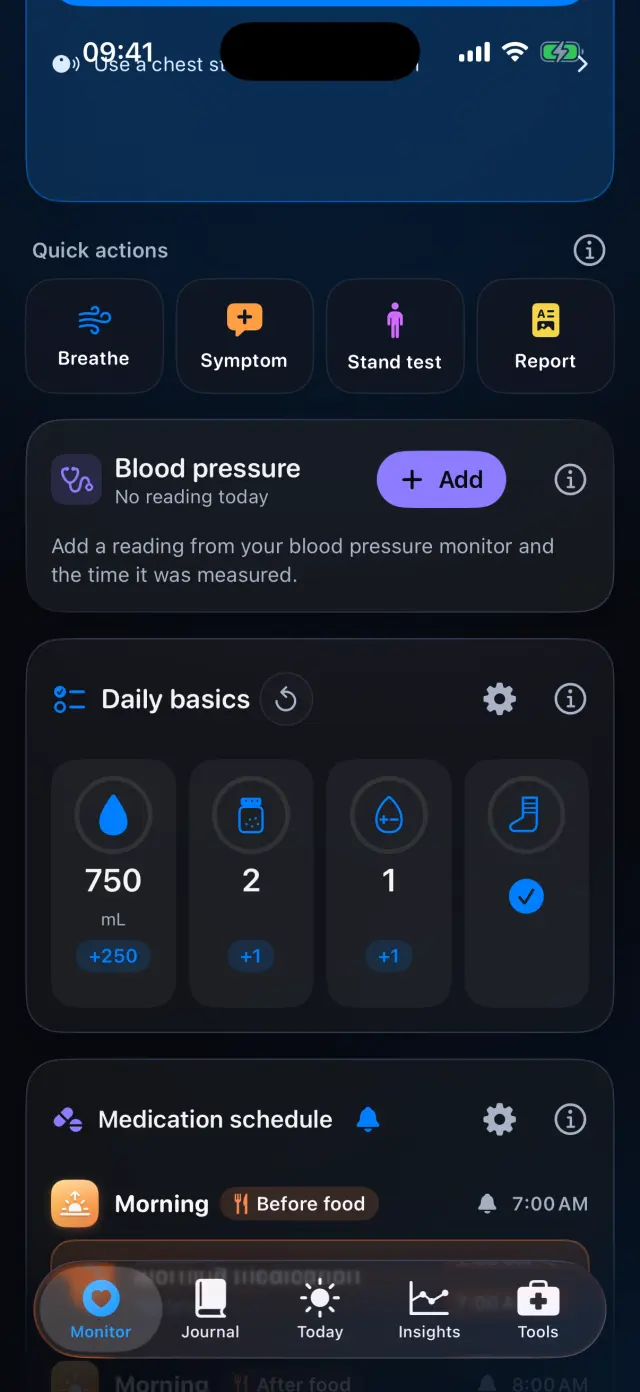 Daily basicsFluids, salt, compression and your own trackers, plus what was different today.See how it works
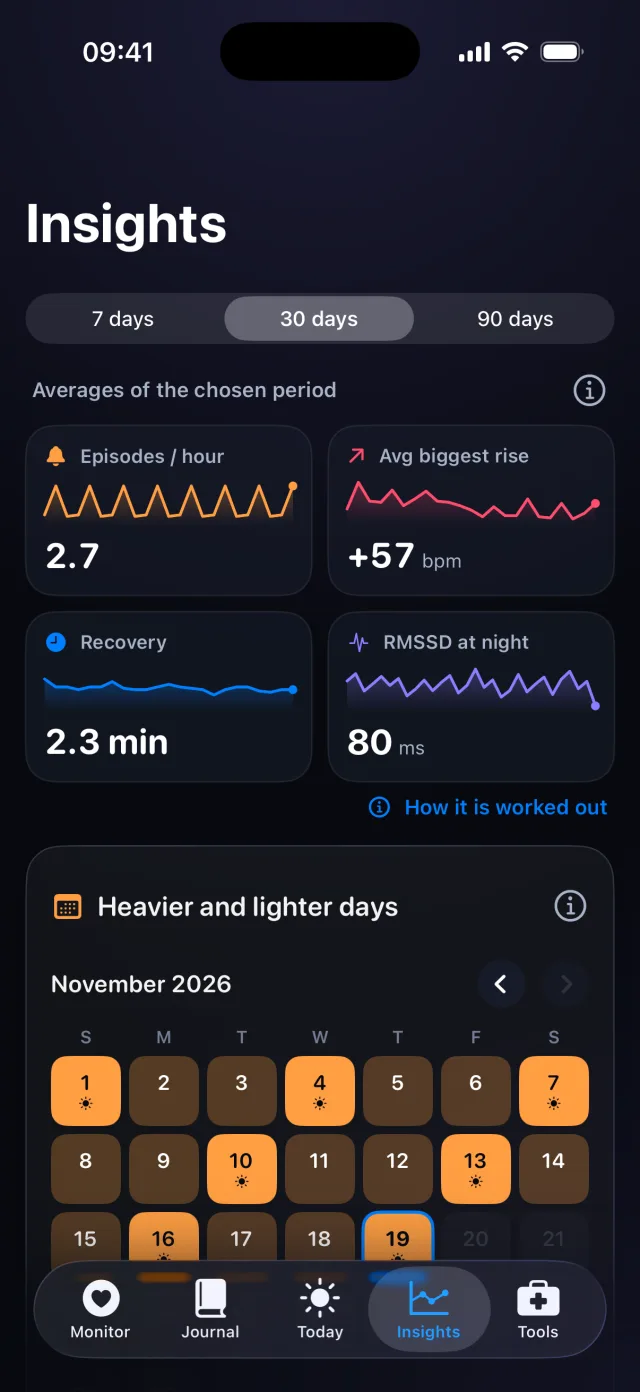 Insights and trendsPatterns across 7, 30 or 90 days, before-and-after and trends up to a year.See how it works
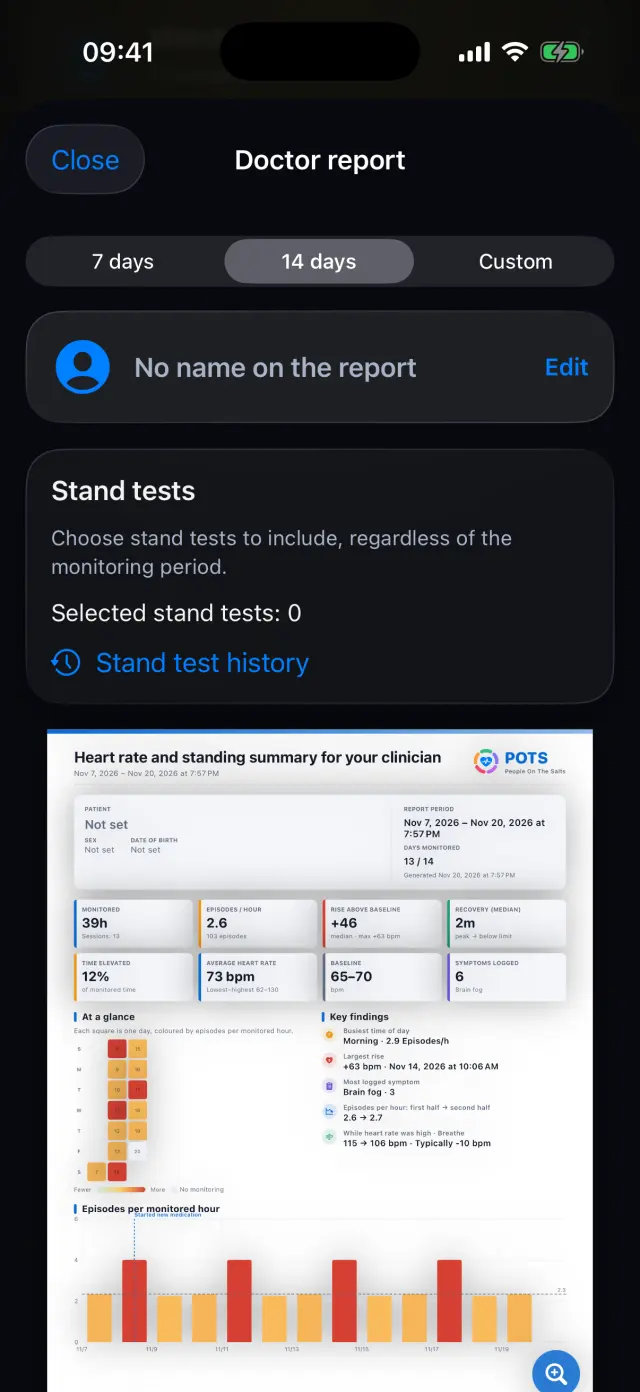 Doctor report and exportA clear PDF for your clinician, and your data as files.See how it works

Try it on your iPhone.
POTS - People On The Salts for iPhone and Apple Watch. Free to download, with Premium when you want the full record.
Screens show fictional data. POTS shows measurements to discuss with your clinician. It does not diagnose or treat any condition.